April 3
A Apple account was stolen 162 transactions in the early morning
A consumer was stolen 162 transactions from 2:50 to 5:51
The total amount exceeded 80,000 yuan
I was stolen from the middle of the night
I was only stolen because I activated "Pass-free payment"
"The money was stolen when I woke up." Zhang Kui woke up early in the morning and found a text message reminding me that someone had swiped 998 yuan from her Apple account in the middle of the night to recharge it into a certain game, but she had never played this game. She immediately realized that her Apple account had been stolen.
I recalled for a long time that she had not leaked her personal information or clicked on an unknown link before, but just updated the system of her iPhone before going to bed. After being stolen, Zhang Kui discovered that she had opened the "password-free payment" for Apple account.

It is quite lucky to have only swiped one order like Zhang Kui, because she set a card swipe limit on the credit card bound to mobile payment. When the criminal tried to swipe the second 995 yuan payment, she failed because she needed her own certification.
According to reports, a consumer's account was once stolen from 2:50 am to 5:51 am, a total of 162 transactions were stolen, with a total amount of 80,868 yuan.
Theft is not an isolated case
Many consumers are trapped in the pit
For young consumers, they are often in conflict with "password-free payment". On the one hand, they recognize its convenience; on the other hand, they are concerned about safety risks.
In mobile payment, for the platform, improving technical means, strengthening risk warnings, and optimizing user experience are the necessary aspects of fulfilling the main responsibilities. However, it has evolved into the frequent "invisible price" of consumers.
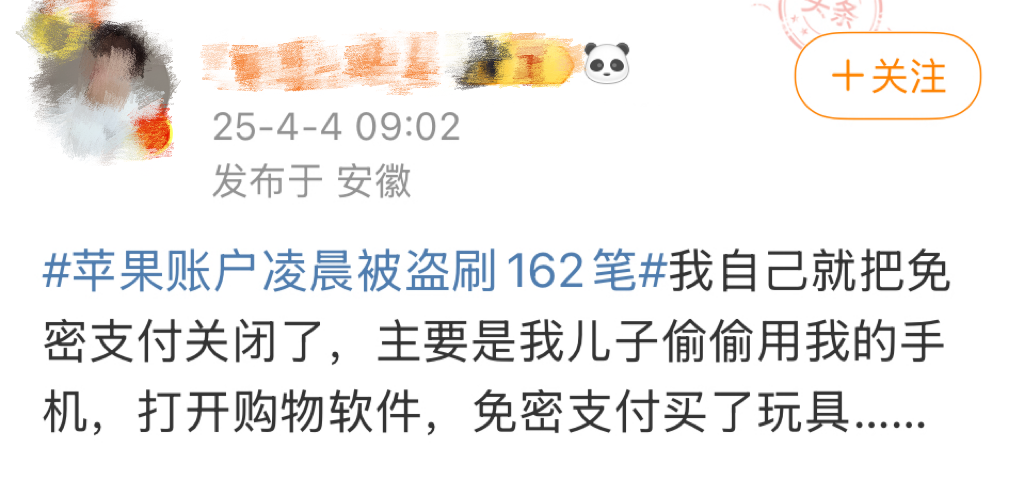
According to the hot search topic, many netizens have shared their experience of being trapped due to "no password payment". Some people paid 5 yuan more parking fees, and some children bought toys without password payment...
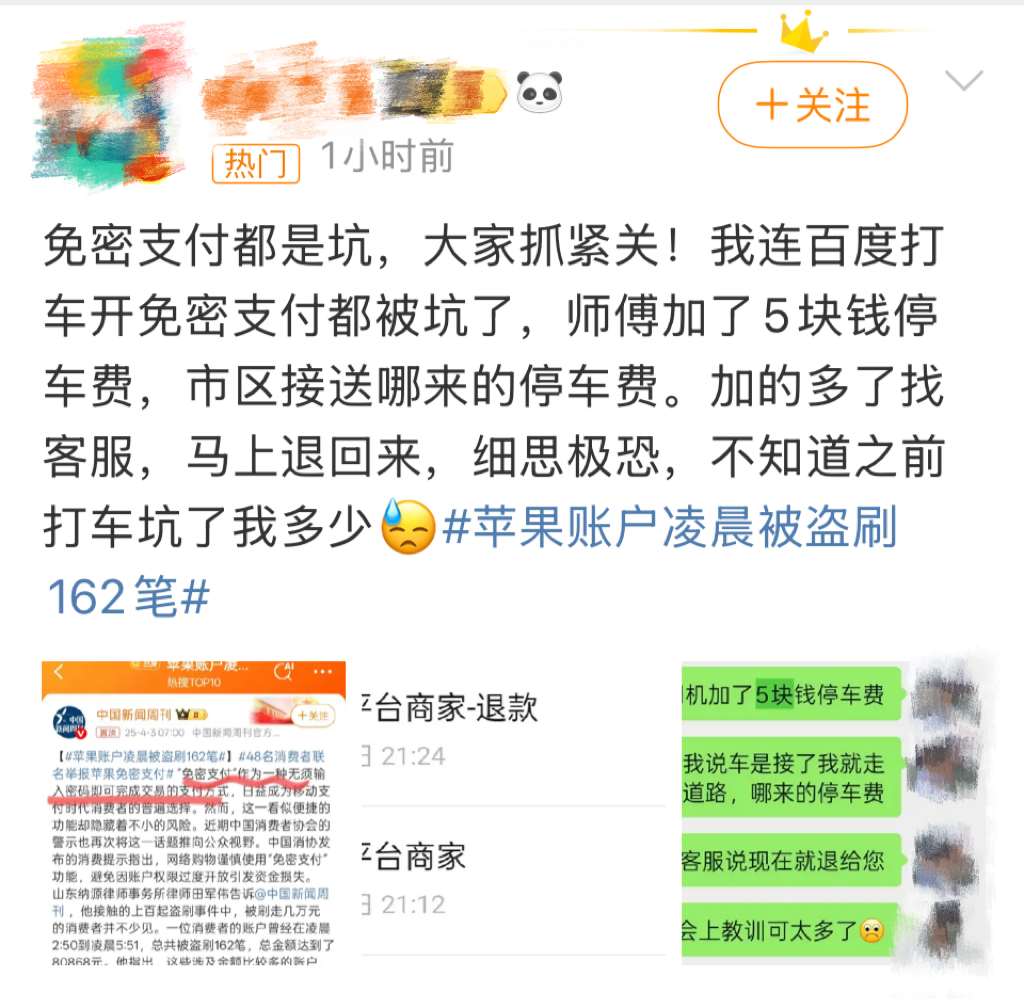
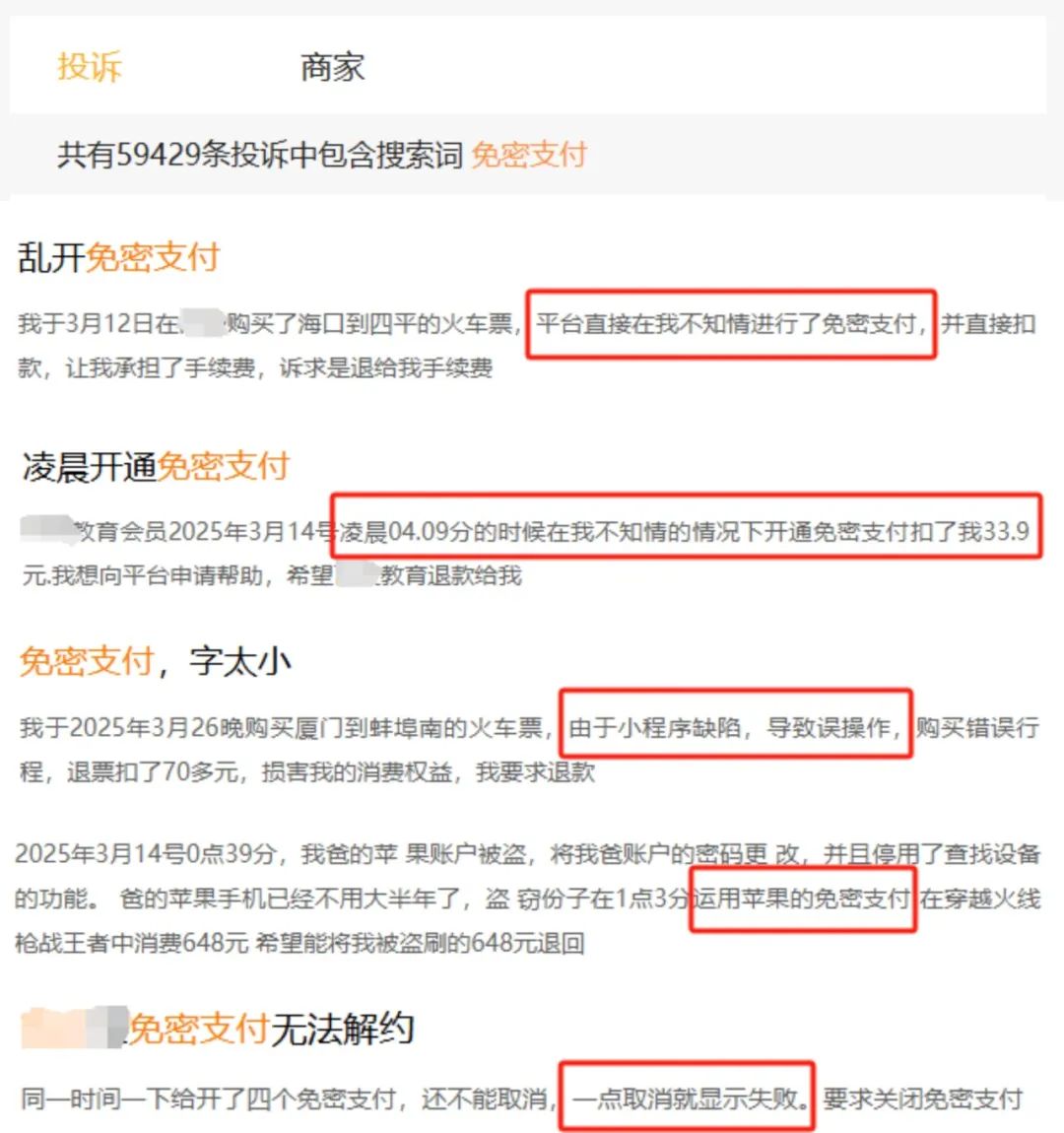
On a complaint platform, nearly 60,000 complaints involved "secret-free payment", including problems such as "secret-free payment" being activated without knowing it, being unable to cancel, and randomly deducting fees after activation.
"Censorless payment"
Why is it easy to become a stolen loophole?
"Passage-free payment" means "payment without password confirmation". After the user activates it, the amount of a single transaction can be directly deducted within a certain limit. However, if this function is used by criminals, it may bring serious safety risks.
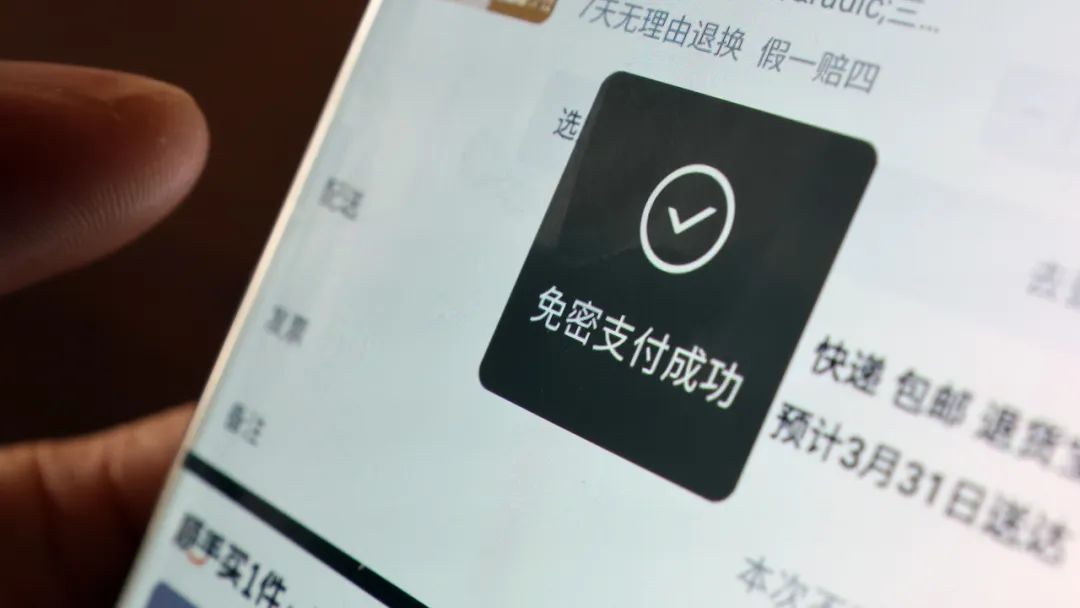
The risk surges when the phone is lost or the account is leaked. If others obtain your account or device, they can directly consume or purchase virtual services through "password-free payment" without secondary verification.
Small amount of password-free accumulated large losses. Although the password-free limit on some platforms is set to be a single transaction limit, high-frequency small amounts of money will still cause significant economic losses in a short period of time.
It is highly concealed and difficult to detect in time. The steal transaction is usually completed through virtual services bound to the payment platform (such as game recharge and App subscription), or during the time when the owner is asleep in the early morning, consumers often have multiple deductions when they discover it.
To reduce the risk of stealing
China Consumer Association reminds ↓
When shopping online
Use the mobile phone’s “password-free payment” function with caution
Avoid fund losses caused by excessive account permissions
It is recommended not to turn on “password-free payment” unless necessary
If you need to retain some password-free services
You can set it separately
How to turn off password-free payment?
01
iOS system
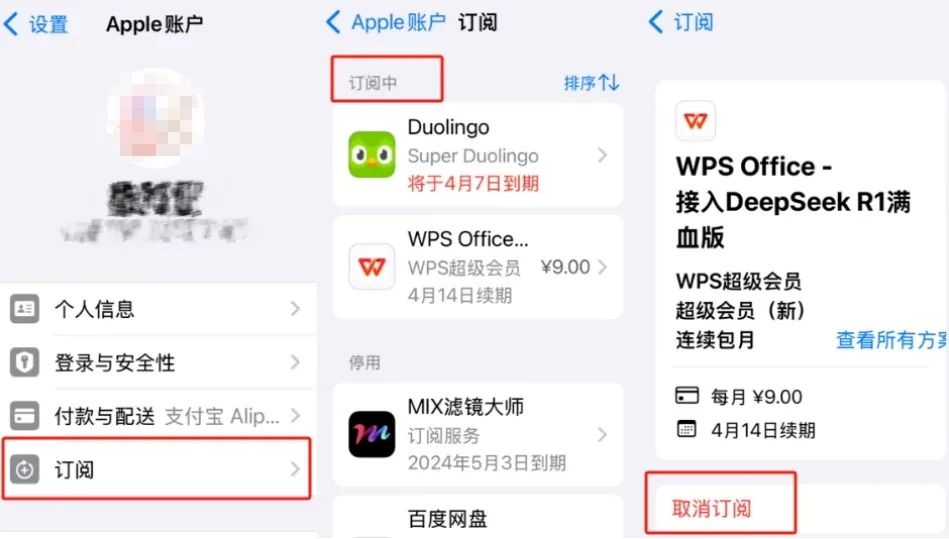
Open Apple phone settings → Apple account → Subscribe → Select the "Subscribe" App, click "Unsubscribe" to confirm.
02
Other systems
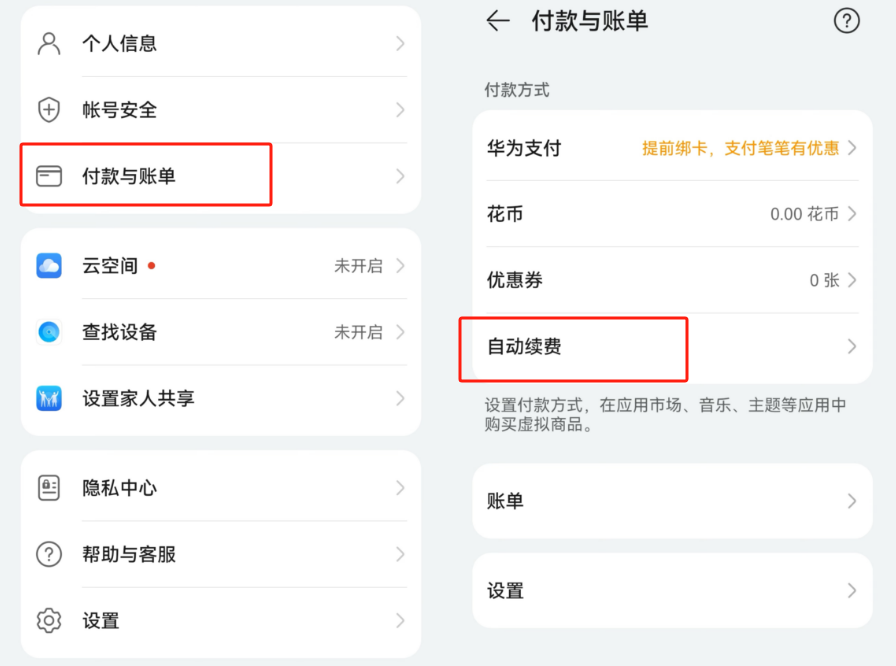
Take Huawei as an example: enter mobile phone settings → Huawei account → Payment and bill → Automatic renewal → Unsubscribe to the App business.
03
Alipay
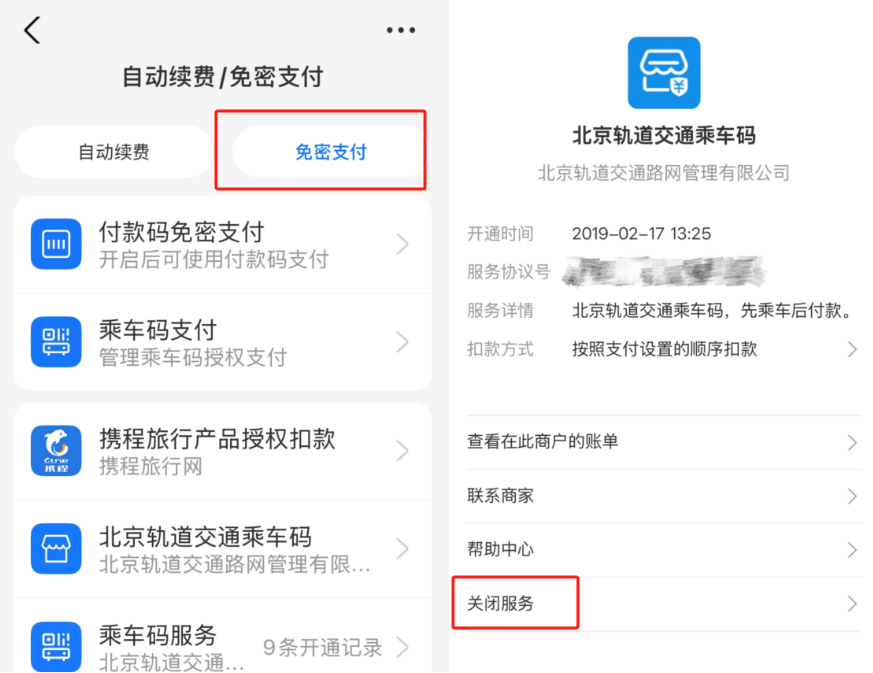
Open Alipay → click "My" in the lower right corner → gear-shaped "Settings" in the upper right corner → "Payment Settings" → "Automatic renewal/pass-free payment", select "Payment-free payment" → select the corresponding app and click "Close service".
04
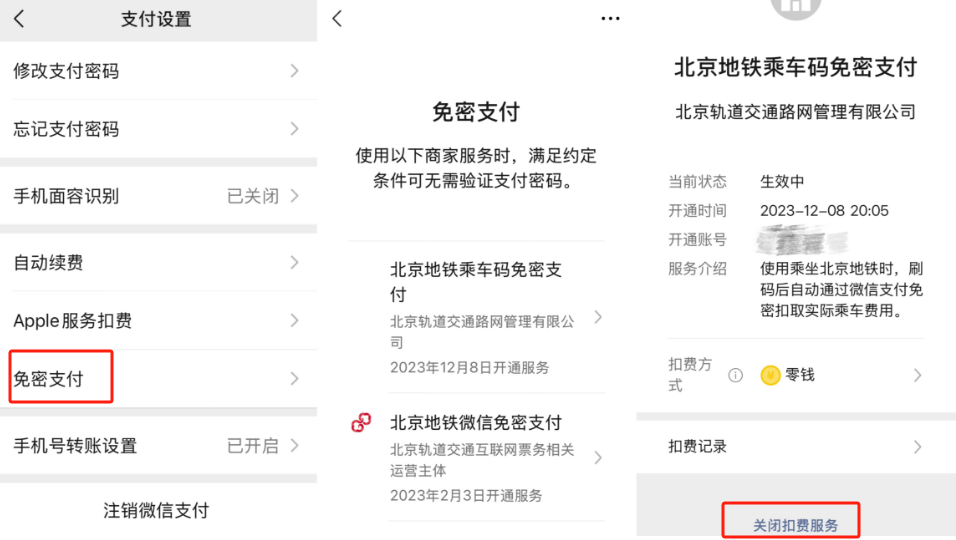
Open WeChat → click "Me" in the lower right corner → Service → Wallet → "Payment Settings" in the bottom corner → Password Free Payment → Select the corresponding App and click "Close the Deduction Service" in the bottom corner.
What should I do after being stolen?
If you find abnormal transactions in your account:
Frozen the payment channel immediately, and urgently freeze the associated account through bank customer service, Alipay or WeChat platform to prevent subsequent deductions.
Keep evidence and complain, keep screenshots of the stolen records, transaction time and other information, and complain to the payment platform.
If the amount of loss is large, you must report the case to the public security organs in a timely manner and cooperate with the provision of relevant evidence materials.
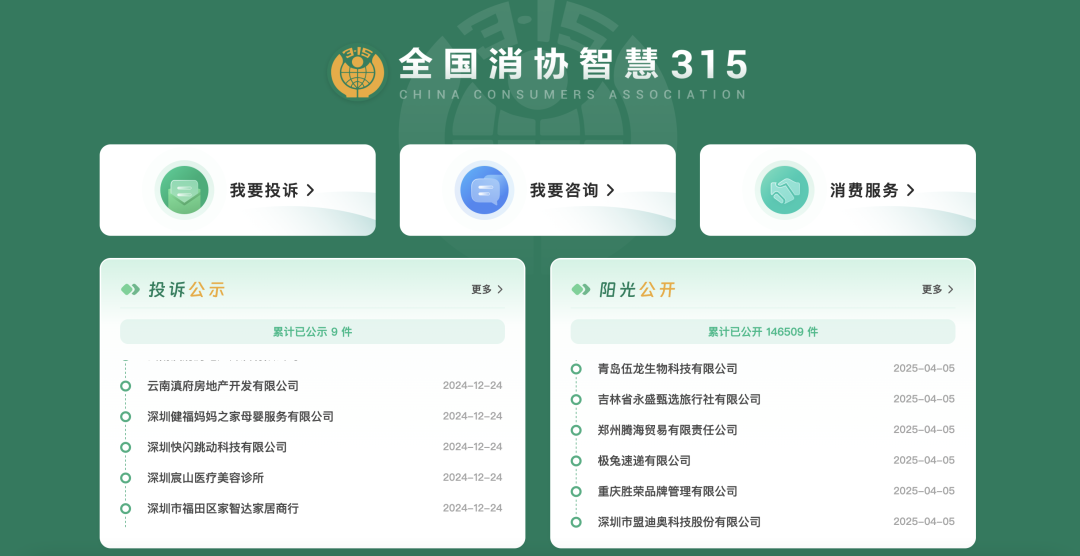
If you encounter consumer disputes, you can call the hotline or protect your rights through the "National Consumer Association Smart 315" platform.
National emergency broadcast reminder
Do not turn on "password-free payment" every day unless necessary
It is best to set a high-intensity password and pay attention to changing
Actively manage payment permissions
Develop regular reconciliation habits
Cancel automatic renewal items that are no longer needed